
Enterprise Skills
Skills in the enterprise admin console are organization-level capabilities maintained by administrators. They can represent shared writing guidelines, standard workflows, standard Skills installed from ZIP files, or expert packages that contain multiple internal child Skills.
Enterprise Skills and user My Skills are managed in separate scopes. A personal Skill serves only its owner. An enterprise Skill belongs to the current organization, and administrators control whether it is enabled and which position roles and members may use it.
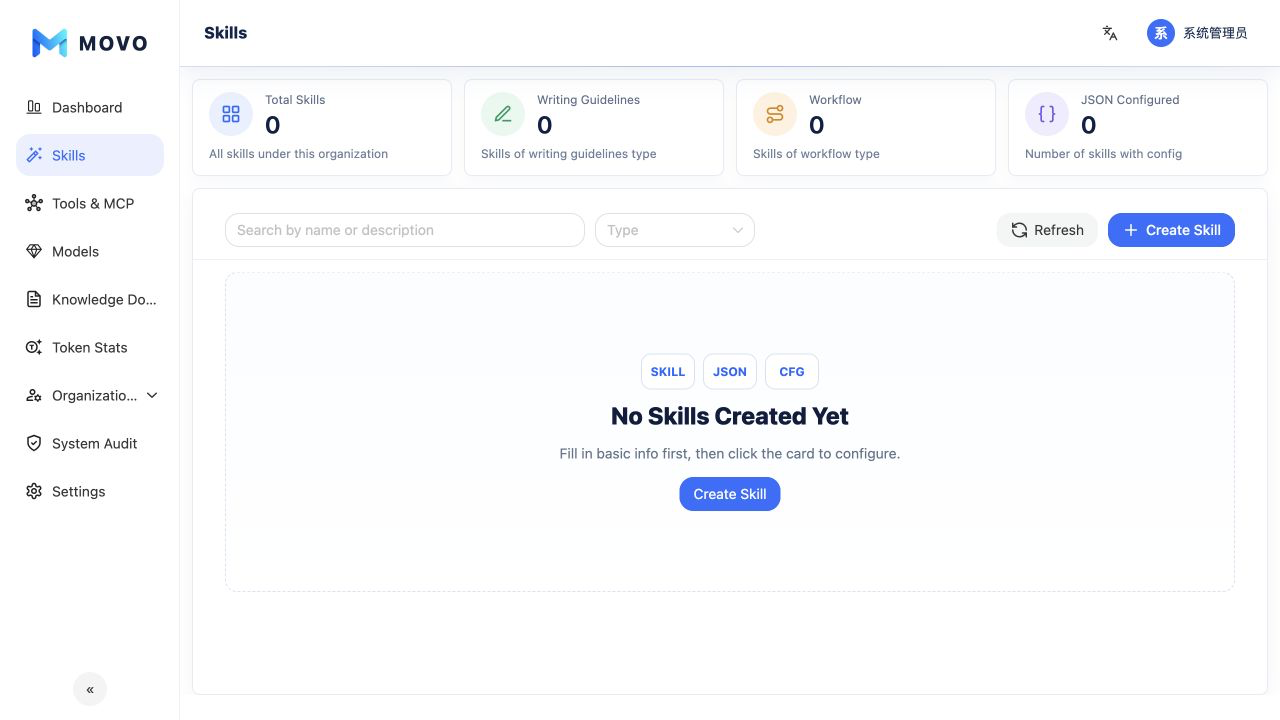
Supported types
| Type | How it is added | Description |
|---|---|---|
| Writing guideline | Guided creation | Shared structure, tone, length, and expression boundaries |
| Workflow | Guided creation | A multi-step business task configured as an executable process |
| Standard Skill | ZIP installation | A standard package distributed by a marketplace, community, or internal team |
| Expert package | ZIP installation | One expert orchestration guide and multiple internal child Skills published as one enterprise capability |
Install from a ZIP file
Select Install from ZIP and choose a file, or drag the ZIP into the installation area. A package can be up to 100 MiB. MOVO automatically detects standard Skills and expert packages and applies the same structure, security, and metadata validation used for personal installation.
- A standard package must contain exactly one
SKILL.md, at the ZIP root or inside one top-level directory. - An expert package must contain
manifest.json, an orchestration guide atskillsets/<slug>.md, and the declared child packages atskills/<child-slug>.zip.
Validation errors appear inside the installation dialog and identify the relevant file or field. Different versions in _meta.json and SKILL.md produce a warning instead of blocking installation; MOVO uses the _meta.json package version.
An installed enterprise Skill is disabled by default. Review its name, description, intended use, version, and package details before enabling it. Expert packages also list their internal child Skills. The organization catalog stores and displays an expert package as one capability; its child Skills cannot be authorized independently.
Create, publish, and authorize
- For a writing guideline or workflow, select Create Skill and complete its structured configuration. For a standard Skill or expert package, use ZIP installation.
- Review the name, description, intended use, and availability of referenced Tools, MCP services, and other runtime capabilities.
- Validate the result in a test environment or with a limited member scope.
- Enable the enterprise Skill.
- Configure each position role to allow all current and future Skills or only selected Skills.
- Add a temporary Skill allowance or denial for an individual member when needed.
Disabling an enterprise Skill removes it from organization members. A SkillHub installation request made in a conversation only creates a personal Skill for the current user; it cannot bypass the admin console to create an enterprise Skill.
Runtime behavior
Members can manually select an authorized enterprise Skill, or DSH can select one automatically from its name, description, and intended use. The execution timeline shows the Skill name and enterprise source when it is selected.
Only the parent expert package participates in the first selection stage. Once selected, DSH receives its orchestration guide and all internal child Skills and decides how to combine them under that guidance. MOVO enforces enterprise scope, enabled state, and permissions; DSH handles selection and execution in the conversation.
Release checks
- A multi-
SKILL.mdZIP that does not follow the expert package format is not split or installed automatically. - Skills that require API keys, client credentials, an additional runtime, or private services need the corresponding dependencies and security configuration before enterprise publication.
- Successful installation confirms package structure and metadata, not the availability of referenced Tools or external services.
Before broad release, verify that authorized members can see and use the Skill, unauthorized members cannot, manual and automatic selection both emit execution events, disabling removes it from runtime, and an expert package can use its internal child Skills under the orchestration guide.