
Enterprise plugin management
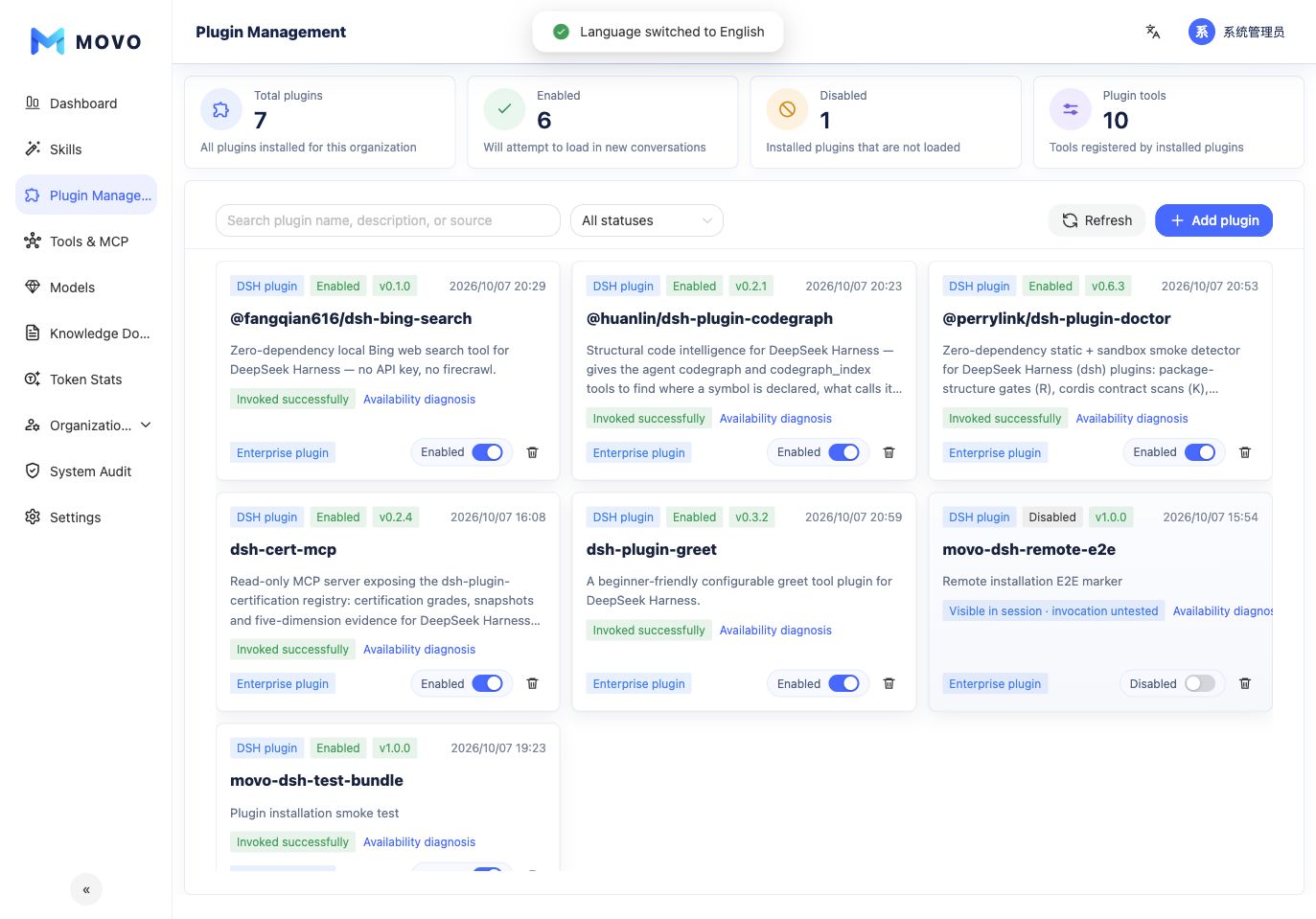
Plugin Management installs, verifies and publishes organization-level DSH plugins. Administrators govern a plugin once, and authorized members can reuse it in MOVO conversations instead of every project wrapping and operating its own DSH Runtime.
Installation methods
- Online install: Use a pinned npm package or a public HTTPS Git or tarball URL. The server must be able to reach the source.
- Local upload: Upload a
.tgzor.tar.gzbundle for offline environments, internal plugins or controlled delivery. The limit is 100 MiB per file.
After Add plugin is submitted, MOVO checks:
- Whether the package installs and declares a DSH plugin bundle.
- Whether the DSH Runtime can load it.
- Whether registered tools are discoverable in a new MOVO conversation.
- Whether a plugin tool has already completed a real invocation.
Publish to organization members
Review the version, description, source, detected tools and diagnosis before enabling an installed plugin. Enabled plugins load into new conversations; an already-running conversation does not rebuild its Runtime dynamically.
Enterprise deployments can also use Access to assign a plugin to selected position roles or members. The user workspace labels these entries as Enterprise, and users cannot remove them.
Status and operations
| Status | Meaning | Recommended action |
|---|---|---|
| Invoked successfully | At least one tool completed successfully | Expand access gradually |
| Visible in session · invocation untested | Tools are exposed but outcomes are unknown | Invoke a tool in a controlled new conversation |
| Unavailable in session | Runtime discovery and session exposure disagree | Review the plugin declaration and MOVO adaptation |
| Runtime loading failed | DSH could not load the plugin | Check version, dependencies and runtime requirements |
| Check failed | Package source, bundle or assessment failed | Fix the raw error and check again |
Disabling a plugin prevents it from loading in new conversations. Removing it deletes the organization installation record. In production, pin versions, diagnose before enablement and repeat real invocation verification after every upgrade.
Security boundary
Install only trusted, versioned and reviewed plugins. A plugin may access models, tools or enterprise data at runtime. Successful loading does not prove that its permissions, data handling and business output meet organizational requirements.