
Token statistics
Token Statistics shows enterprise model calls, Token consumption and estimated cost. Administrators use it to analyze adoption, investigate unusual requests and govern capacity and cost.
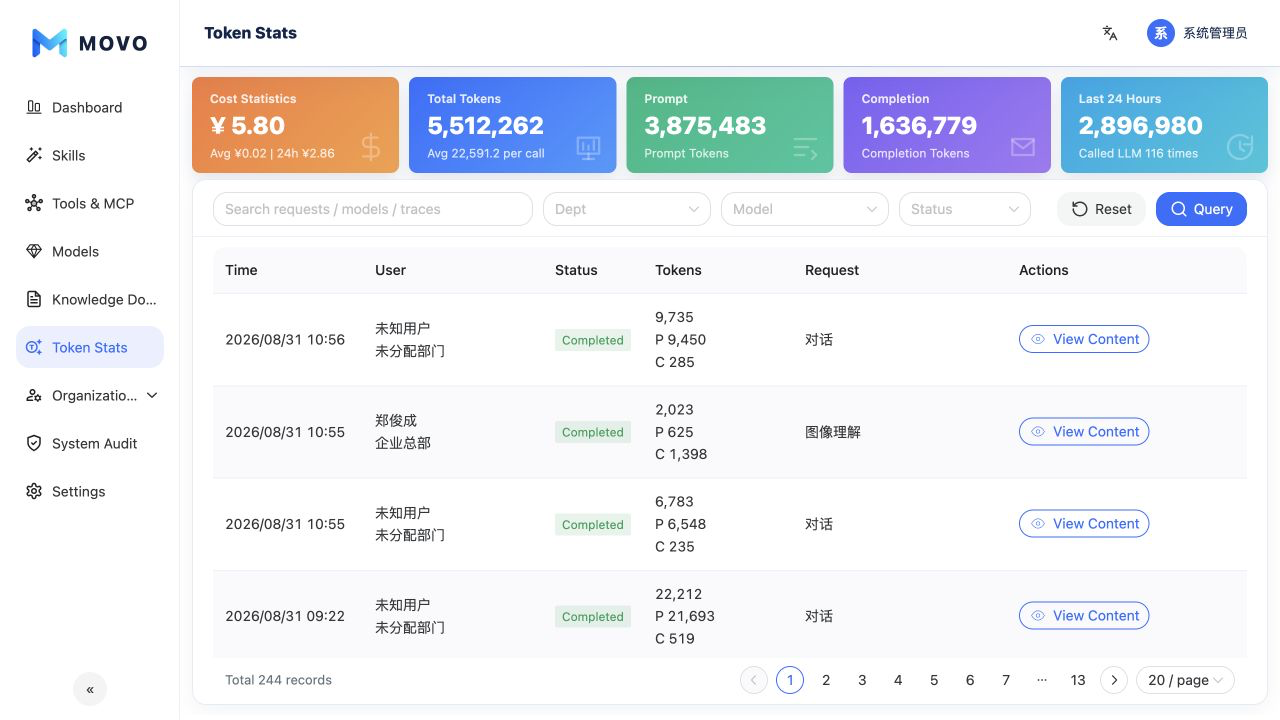
Summary metrics
The page summarizes:
- Total cost, average cost per request and cost over the past 24 hours.
- Total Tokens and average Tokens per request.
- Prompt input Tokens and completion output Tokens.
- Token consumption and model calls over the past 24 hours.
Cost is calculated from the currently configured model estimates. It supports trend analysis and internal governance but does not replace the provider's invoice.
Search and filters
Administrators can search request, model or Trace keywords and filter by department, model and execution status. Status distinguishes completion, user cancellation, runtime errors and network failures.
Select Scope to search for a department or an individual employee. A department includes employees in its descendant departments. Summary cards and request rows update together.
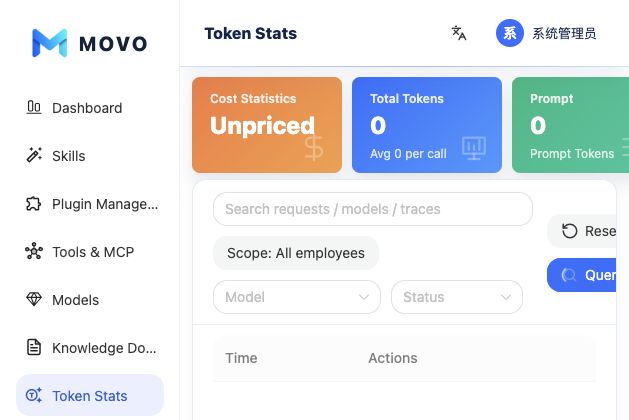
Calls without a configured price are reported as unpriced. Adding a price re-estimates historical calls using the current rate. Configuration IDs take precedence over model names so identically named group and standalone models do not use the wrong price. CNY and USD are reported separately without automatic conversion.
Each row aggregates the model, status, input Tokens, output Tokens, total Tokens, cost and duration for a user request. Open a record to inspect:
- Model-call details under the same request.
- Conversation content and Agent execution steps.
- Generated documents and their download links.
Common uses
- Narrow a failed-call alert by status and time, then inspect request details.
- Compare Token usage and cost across models, departments or task types.
- Identify unusually expensive requests and inform model selection or role quotas.
- Adjust the enterprise, default member or individual quota in Traffic Allocation.
Data access
Call details may contain enterprise content, user questions and generated files. Restrict this page to authorized administrators and follow the organization's data-access and audit policy.