
Model management
The model center manages the model resources used by enterprise Agents. MOVO does not require a single model or vendor. An enterprise can maintain multiple model configurations and assign them to chat, visual understanding, knowledge retrieval, reranking and image generation according to their capabilities.
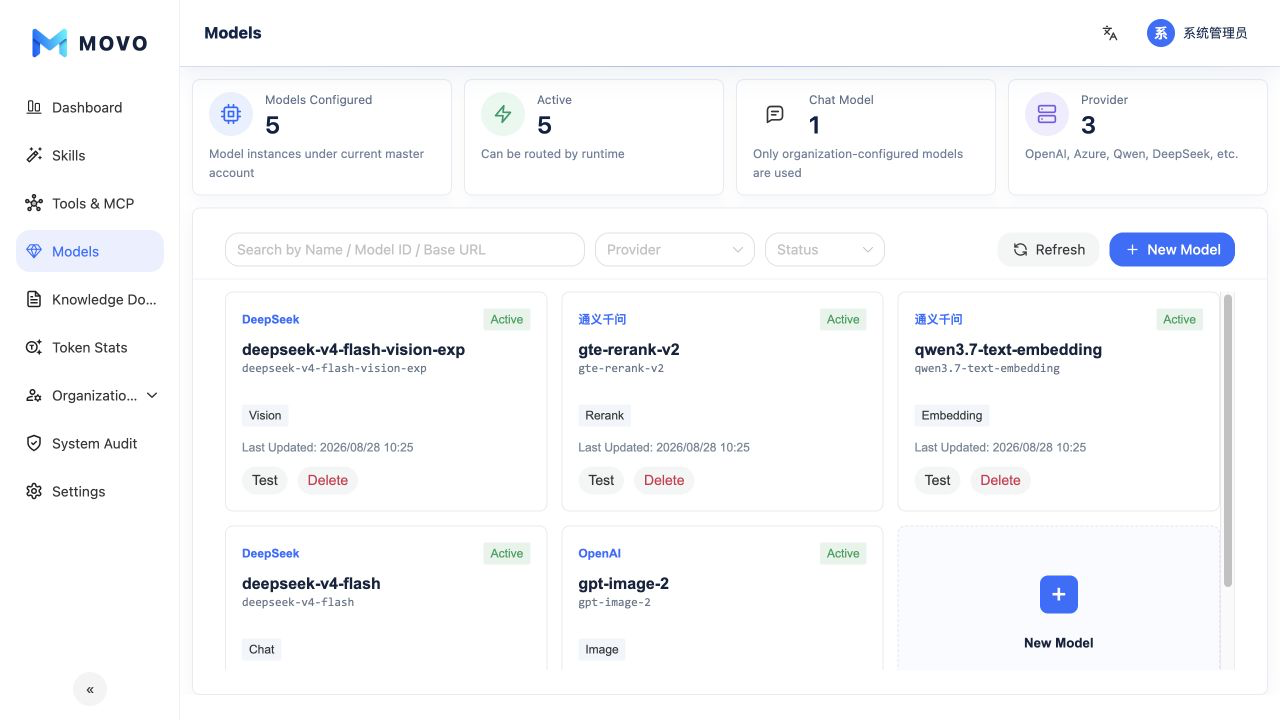
Connect multiple models
The model center supports OpenAI, Azure OpenAI, Qwen, DeepSeek and custom services that expose an OpenAI-compatible API. An enterprise can:
- Connect models from multiple providers.
- Add multiple models or deployments from the same provider.
- Give each configuration its own display name, model ID, Base URL, API Key and enabled state.
- Assign one or more capabilities to a model.
- Filter configurations by name, model ID, Base URL, provider and status.
This lets teams balance data boundaries, cost, performance and workload needs instead of binding every task to one model service.
Model groups and pricing
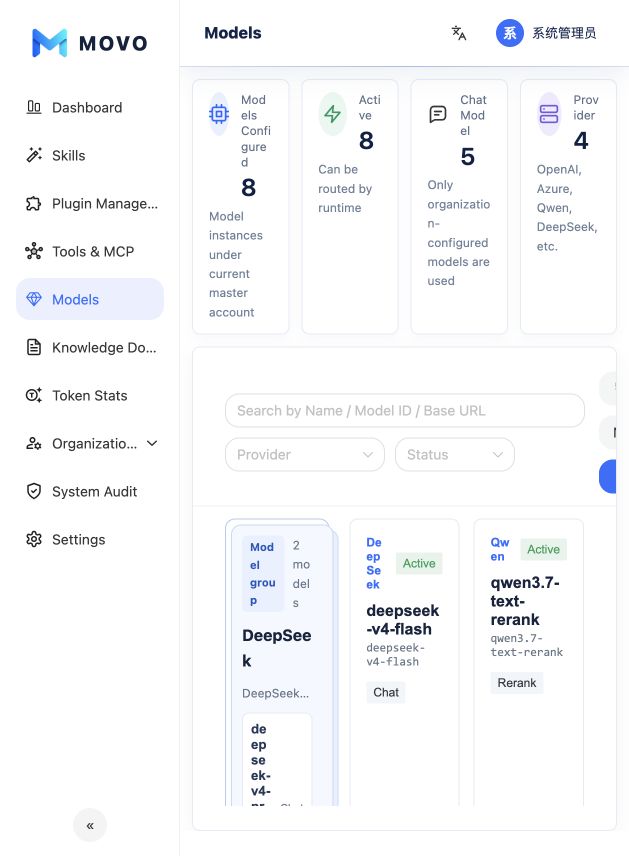
When models share a provider, Base URL and API key, create and save a model group first. Add members with separate model IDs, display names, capabilities and status. Switch between members in the test pane. Standalone models remain available. Remove member models before deleting their group.
Set input and output prices separately for each model, per million Tokens, in CNY or USD. A group connection does not automatically price its members. Calls without a price are unpriced. Costs use current rates as estimates, are not provider invoices and are not automatically converted between currencies. See Token statistics.
Model capabilities
| Capability | Primary use |
|---|---|
| Chat | Intent understanding, task planning, Q&A and content generation |
| Vision | Understanding images, screenshots, charts and scanned material |
| Embedding | Vectorizing enterprise documents and semantic retrieval |
| Rerank | Reordering candidate passages returned from knowledge retrieval |
| Image | Generating images and visual assets from prompts |
A model can declare several capabilities, or each capability can use a dedicated model. Enterprise settings such as knowledge retrieval and presentation generation select from enabled models that declare the required capability.
Add and validate a model
- Select Add model and choose a provider.
- Enter the display name, model ID, service URL and credential.
- Select the capabilities the model actually supports and choose its enabled state.
- Save the configuration and run a connection test.
- Use the model in production only after the test passes.
Azure OpenAI also requires the deployment name and API version. When editing an existing configuration, leaving the API Key blank preserves the stored credential. The admin API returns only a masked credential state.
Dependency impact
Before disabling or deleting a model, confirm that knowledge retrieval, presentation generation and other enterprise settings do not depend on it. Members also need remaining enterprise Token quota before they can call an enabled model.