
System settings
System Settings manages baseline parameters and specialized capabilities that affect the whole MOVO enterprise deployment, including General, Shortcuts, Presentation Generation, External Search, Page Collection, Knowledge Base Settings and Task Admission.
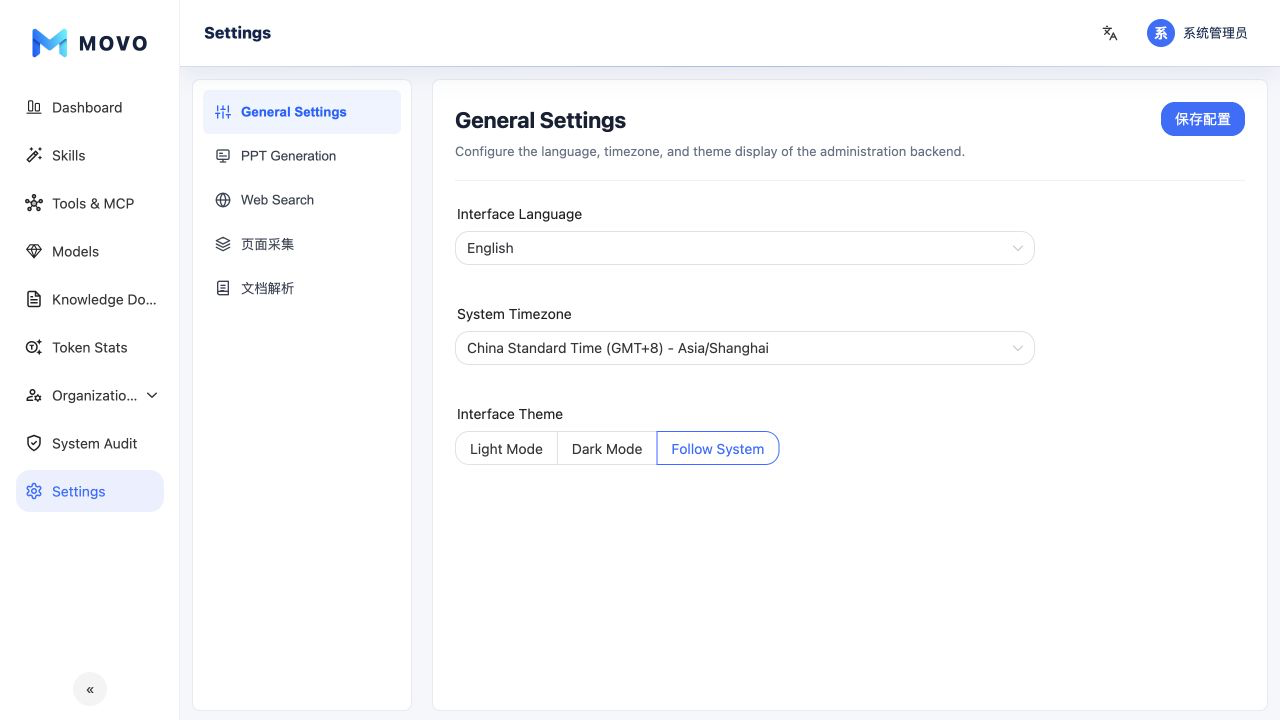
General
Configure the admin-console language, system timezone and appearance. The timezone affects scheduled tasks, statistics and audit timestamps and should match the organization's operational timezone.
Shortcuts
Maintain the default groups and Prompt or Skill entries shown to employees, including icons, ordering, and group locks. See Default shortcuts for the full workflow.
Presentation generation
Select the enterprise presentation route and models:
- Chat model for content and layout.
- Image-generation model.
- Vision model for visual understanding or reconstruction.
- Generation mode, such as LLM free layout or image reconstruction.
Each selected model must be enabled in the model center and declare the required capability. If it is disabled or deleted, the dependent presentation workflow stops and prompts an administrator to repair the configuration.
External search
Configure the default external-search service used by web_search. Administrators can maintain multiple providers, credentials, enabled states and the default selection.
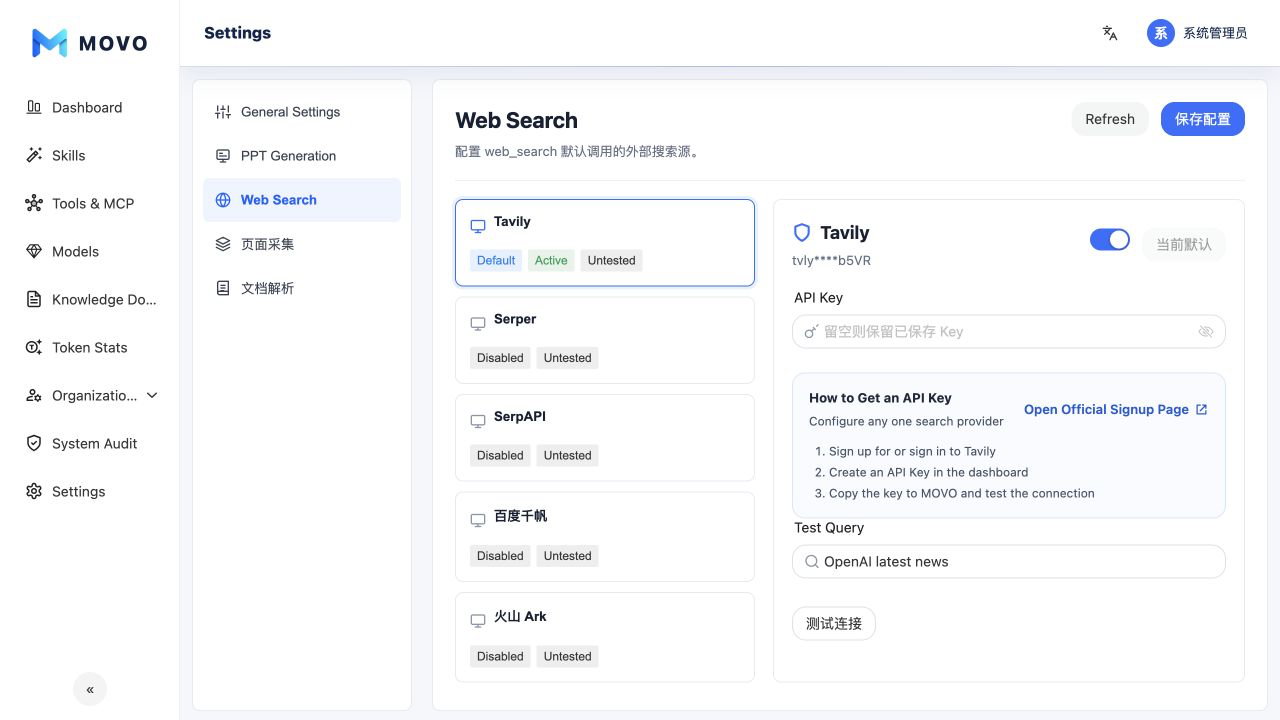
Run a test query before saving. After the default changes, enterprise web-search tasks use the new configuration.
Page collection
Configure the service that retrieves readable webpage content from a URL for Agent processing. The page supports enabling the service, maintaining its credential and saving the configuration.
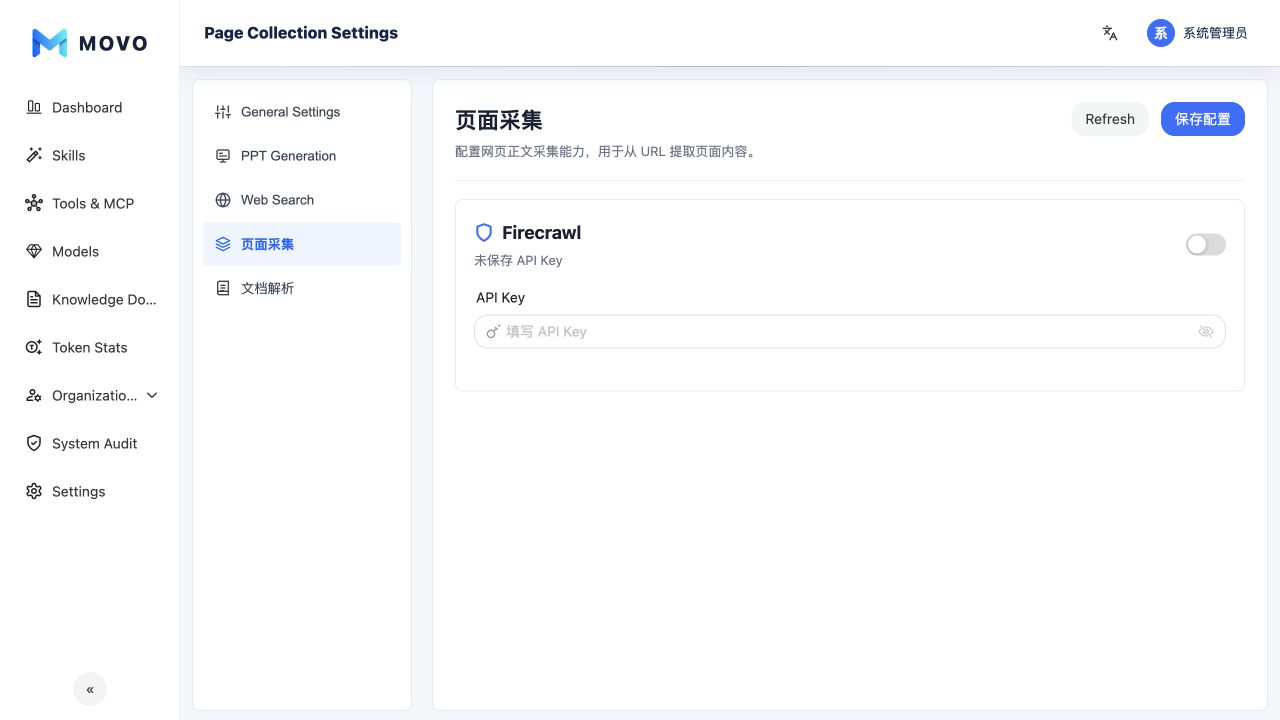
Search and collection have separate responsibilities: search discovers results and links, while page collection reads the content of a selected webpage.
Knowledge base settings
Choose either MOVO knowledge or External knowledge as the source for knowledge questions. The current configuration uses one source at a time; it does not combine them. MOVO knowledge retains the document chunking, retrieval and excerpt-location settings below.
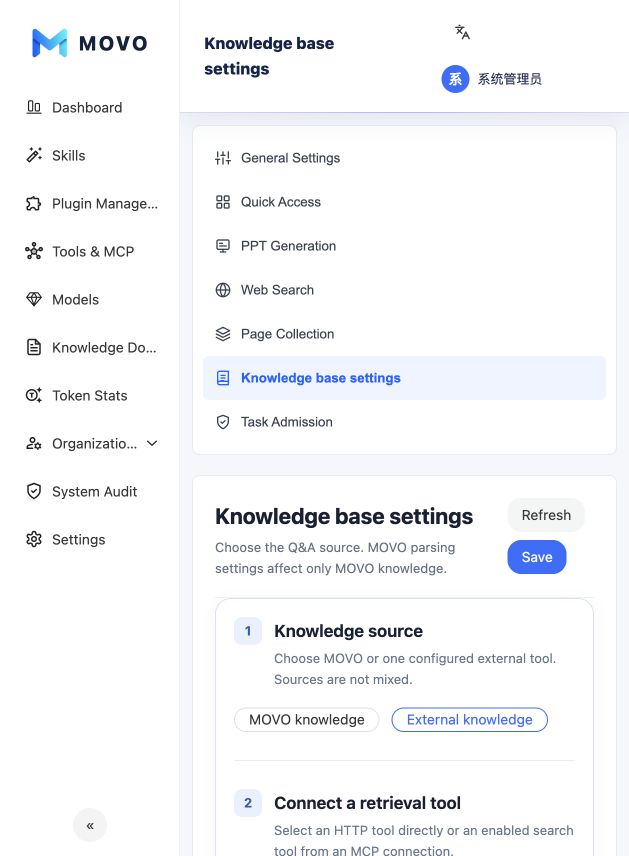
For an external knowledge base:
- Select a configured HTTP tool directly or a search tool from an MCP connection. There is no separate MCP-connection selection step.
- Enter the name shown to users and select the tool's declared text input that receives the user's question.
- Map a text output field to Answer path and an array field to Source documents path. Title, excerpt and document URL are read from each item of that array using relative paths. The selectors offer fields declared by the tool or observed in a test response; you can also enter a path directly.
- Run a test on the right, inspect the mapped result, and use the page-level Save button. The test shows the tool's raw answer without Agent generation. In a user conversation, the Agent processes the tool result before replying.
After a successful admin test, grant the intended users access to that tool under Tools and MCP. To delete a tool referenced by the knowledge configuration, first change the binding and save. If the external system returns a document URL, the source card opens the original in that system; MOVO does not preview it as an internal document. Answers and available source details can still appear without a URL.
MOVO document parsing settings
Configure chunking and retrieval behavior for enterprise knowledge documents:
- Maximum chunk size and overlap.
- Retrieval method and candidate count.
- Whether reranking is enabled and how many candidates it reranks.
- Maximum context supplied to the model.
- Maximum number of sources shown in an answer.
- Embedding model, rerank model and other advanced knowledge settings.
These settings affect only MOVO knowledge, not retrieval through the external tool. Understand how each change affects retrieval quality, latency and model consumption, then validate it with representative material before production use.
Task admission
Allow or block tasks by keyword and synonym before model calls, using either a blocklist or an allowlist policy. See Task admission for rule configuration, testing and governance boundaries.
Credentials and global changes
Only authorized administrators should configure external-service API Keys. Never expose complete secrets in screenshots, documentation or logs. Review changes that affect the enterprise globally through the system audit.