
Task admission
Task Admission evaluates keywords and synonyms in user input before any model call or Agent execution begins. It constrains the business scope that enterprise Agents may process and can keep prohibited topics out of model, tool and knowledge-retrieval workflows.
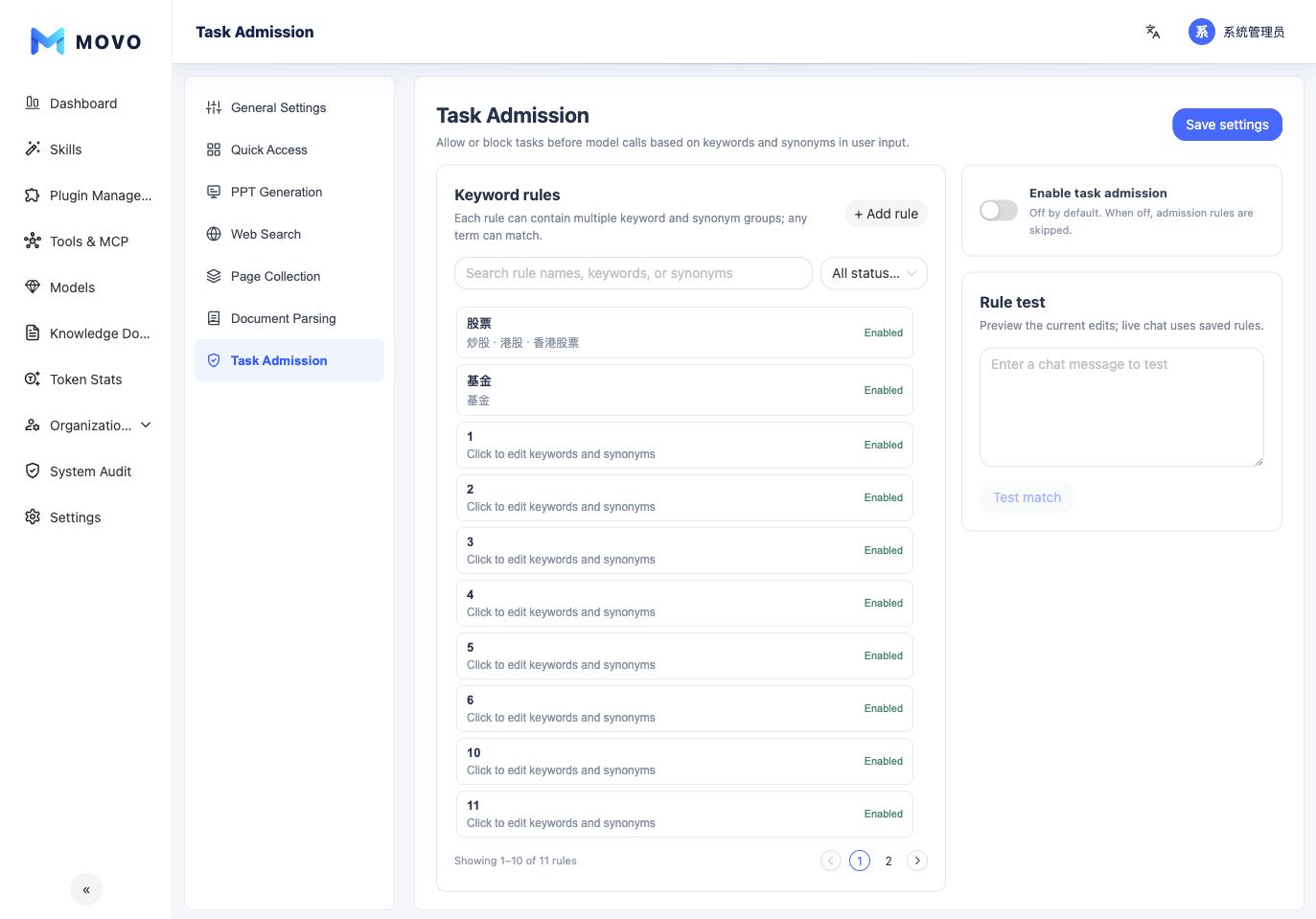
Three operating states
| State | Rule matched | No rule matched |
|---|---|---|
| Off | Allow | Allow |
| Blocklist | Block | Allow |
| Allowlist | Allow | Block |
Task admission is off by default. A blocklist is appropriate when a small set of topics is prohibited. An allowlist is suitable for a purpose-specific Agent that may process only a defined business scope.
Empty allowlist
If Allowlist is enabled without an enabled rule, every task is blocked. Create at least one valid rule and test representative input before saving.
Configure rules
- Open Settings → Task Admission and select Add rule.
- Enter an administrator-friendly rule name.
- Add one or more primary keywords and common abbreviations, synonyms and wording variants.
- Enable the rule as needed. Enterprise deployments can further limit its audience by position role or member.
- Select Blocklist or Allowlist.
- Use Rule test to confirm the decision and matched keyword for representative samples.
- Select Save settings to make the policy effective.
A match on any primary keyword or synonym counts as a rule match. Rule test previews the current unsaved draft; it does not call a model or execute tools.
Rule-writing guidance
- Prefer concrete business terms and objects over broad verbs such as “search” or “generate”.
- Add abbreviations, product aliases and wording commonly used by each department.
- For a blocklist, test both prohibited and closely related allowed expressions to avoid an overly broad boundary.
- For an allowlist, cover realistic user phrasing and include no-match samples to verify default blocking.
- Review the operator and outcome in System Audit after a change, then refine rules as false positives and false negatives are observed.
Task admission is a deterministic front-door boundary. It does not replace model safety, data authorization, Tool or plugin access controls, or human approval. Combine these controls for sensitive workflows.