
Tools and MCP
The Tools and MCP page connects enterprise systems and reusable DSH ecosystem capabilities to MOVO. It supports HTTP interface Tools and remote MCP services.
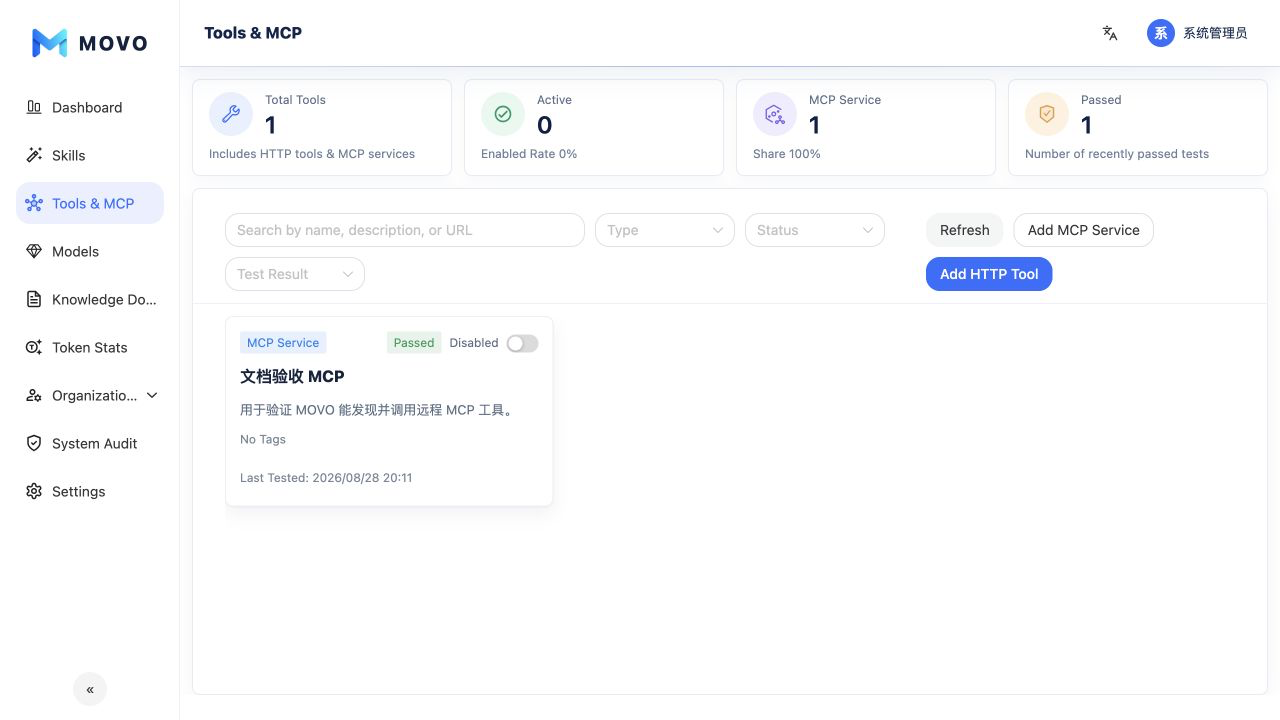
HTTP Tools
An HTTP Tool defines the request URL, method, authentication, fixed headers, timeout, input parameters and output fields. Test it before enabling Agent access so request construction, credentials and response mapping are known to work.
Remote MCP services
MCP configuration has three stages:
- Basic information: Name, description, tags and enabled state.
- Connection: MCP URL, authentication, fixed headers and timeout.
- Tool discovery: Read
tools/list, inspect each input schema and select the tools that Agents are allowed to use.
After discovery, select a tool in the test area, provide its argument JSON and run a test. Only MCP tools that are selected, saved and enabled should enter the Agent's available scope.
Production guidance
- Use stable service URLs that are reachable from the MOVO deployment environment.
- Store credentials in the protected configuration fields and apply least privilege in the target system.
- Select only the MCP methods required by the enterprise use case.
- Retest after changing endpoints, authentication, input schemas or response structures.
- Assign Tool access through position roles and use audit records to review administrative changes.