
User workspace overview
The MOVO user workspace is where business users, knowledge workers and AI developers work with enterprise Agents. Users do not need to understand the deployment details of the DSH Runtime. They can start conversations, use enterprise knowledge, connect tools, run Skills, schedule tasks and review personal usage from one interface.
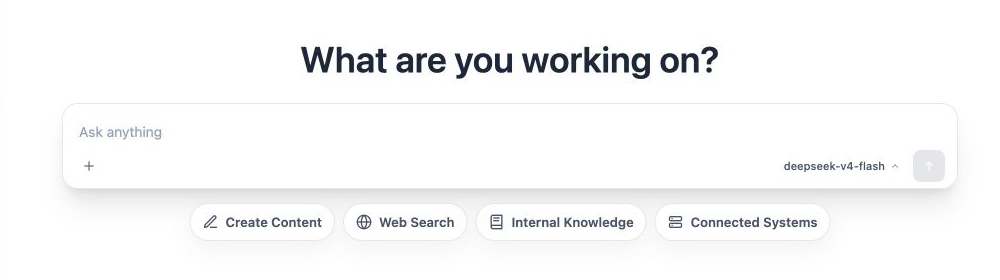
Page layout
- New conversation: Start a new question or complex task.
- Conversation history: Resume previous work and search past conversations.
- Task shortcuts: Quickly frame prompts for content generation, web search, internal knowledge and connected systems.
- Attachments and models: Upload images or documents and select an available model.
- My Skills / My Plugins / My Tools: Configure personal extensions and use DSH plugins provided by the organization. Personal Skills can also be shared, reviewed, and updated among organization members.
- Scheduled tasks: Ask an Agent to run work automatically at a specified time.
- Account and usage: Review the current workspace, plan, Token quota and usage history.
Where to start
For a general question, describe the goal directly in the input box. When a task depends on a specific data source, start with the matching mode:
| Goal | Recommended entry |
|---|---|
| Write, summarize, translate or generate a presentation or document | Content generation |
| Find public webpages and current information | Web search |
| Query policies, project material and enterprise documents | Internal knowledge |
| Call CRM, ERP, MCP or HTTP tools | Connect systems |
MOVO shows execution progress, tool activity and the final result inside the conversation. When an answer uses webpages or internal documents, open its sources to verify the evidence.
Workspace and access
The current workspace and administrator configuration determine which models, Skills, plugins, Tools and knowledge documents a user can access. If a capability is unavailable, verify the selected workspace and ask an enterprise administrator to check the position role, resource status and quota.