
My Tools
My Tools connects the current user's HTTP APIs or remote MCP services so the Agent can query individually authorized systems, retrieve current data or perform specific actions.
Personal scope
Connections under My Tools apply only to the current user. Other members do not automatically receive the Tool or its access rights. Each user can connect systems required for their own work while preserving personal authorization boundaries.
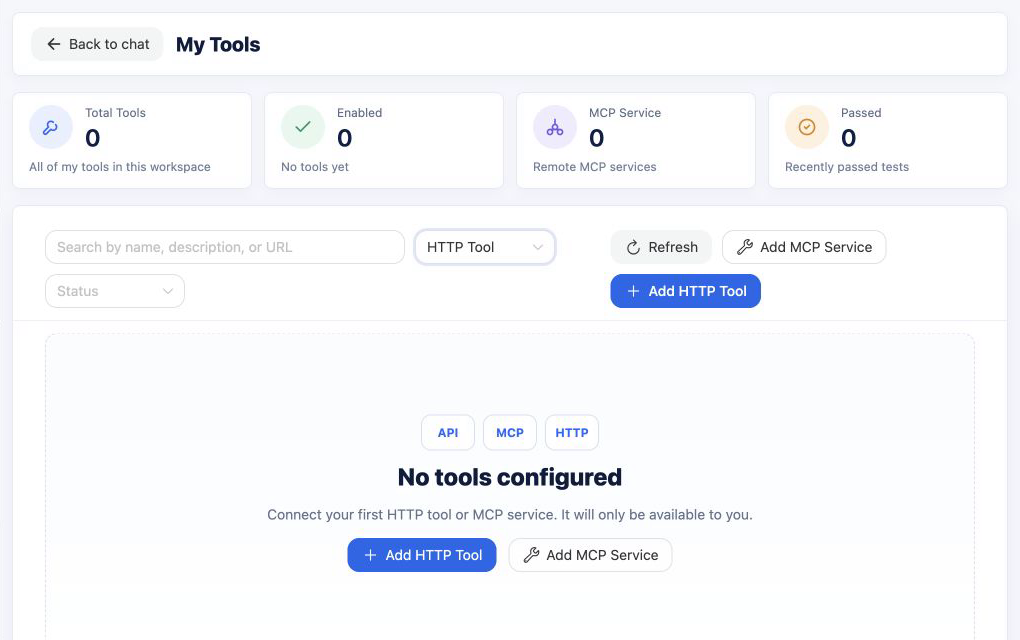
Supported connections
- HTTP Tool: Configure the request URL, method, parameters, headers and authentication to expose an existing API to the Agent.
- MCP service: Connect a remote MCP server, discover its tools and select which capabilities the Agent may use.
Page capabilities
- Review total Tools, enabled Tools, MCP services and recently verified connections.
- Search by name, description or URL and filter by type and status.
- Add, edit, enable, disable or delete HTTP Tools and MCP services.
- Test a connection to verify request configuration, authentication and response handling.
Use a Tool in a conversation
After enabling a Tool, open Connect systems from the home page and specify the business object and expected result. For example:
Call the customer lookup Tool and return the current status and owner for customer C-1024.
If the Agent does not call the expected Tool, confirm that it is enabled, its connection test passes, its MCP capabilities were discovered and selected, and the current account has permission in the target system.
Credential security
Configure only interfaces and credentials the current user is authorized to use, and follow the target system's least-privilege policy. Test the connection again after changing a URL, authentication method or parameter structure.